Almost every Microsoft 365 administrator has a pile of alerts nobody gets to. Not out of neglect, but because the day is finite. You work top down: High first, then Medium, and the rest if there is time left. There rarely is.
From today you can have one of them investigated. Any Dutch Microsoft 365 administrator can have one Microsoft Defender incident of their own analysed by IVON, free of charge. You connect your environment through a one-time consent, watch live while the analysis runs, and get a complete incident report at the end. It is called the IVON incident investigation.
The bottom of the pile is bigger than you think
The reason we are offering this is a risk analysis we ran on the alerts at the first customers of IVON, which we launched in June. Of the 165 Defender XDR alerts that came in across thirteen connected beta participants in July 2026, 71.5 percent fell into the two lowest threat levels Microsoft assigns to incidents: Informational and Low. The beta ramped up during July and not every tenant was connected for the full month, so read it as a snapshot rather than a law of nature.
These are precisely the layers that get left first once an IT team with limited capacity has to choose which incidents it analyses further. And they are the layers where a real threat can stay unnoticed the longest.
Low severity, and still worth investigating
In early August, Defender intercepted a ClickFix attack on a workstation at a beta participant, where an employee ran a malicious command themselves after a faked error message. Defender blocked the execution, but classified the alert as Low: not a serious threat.
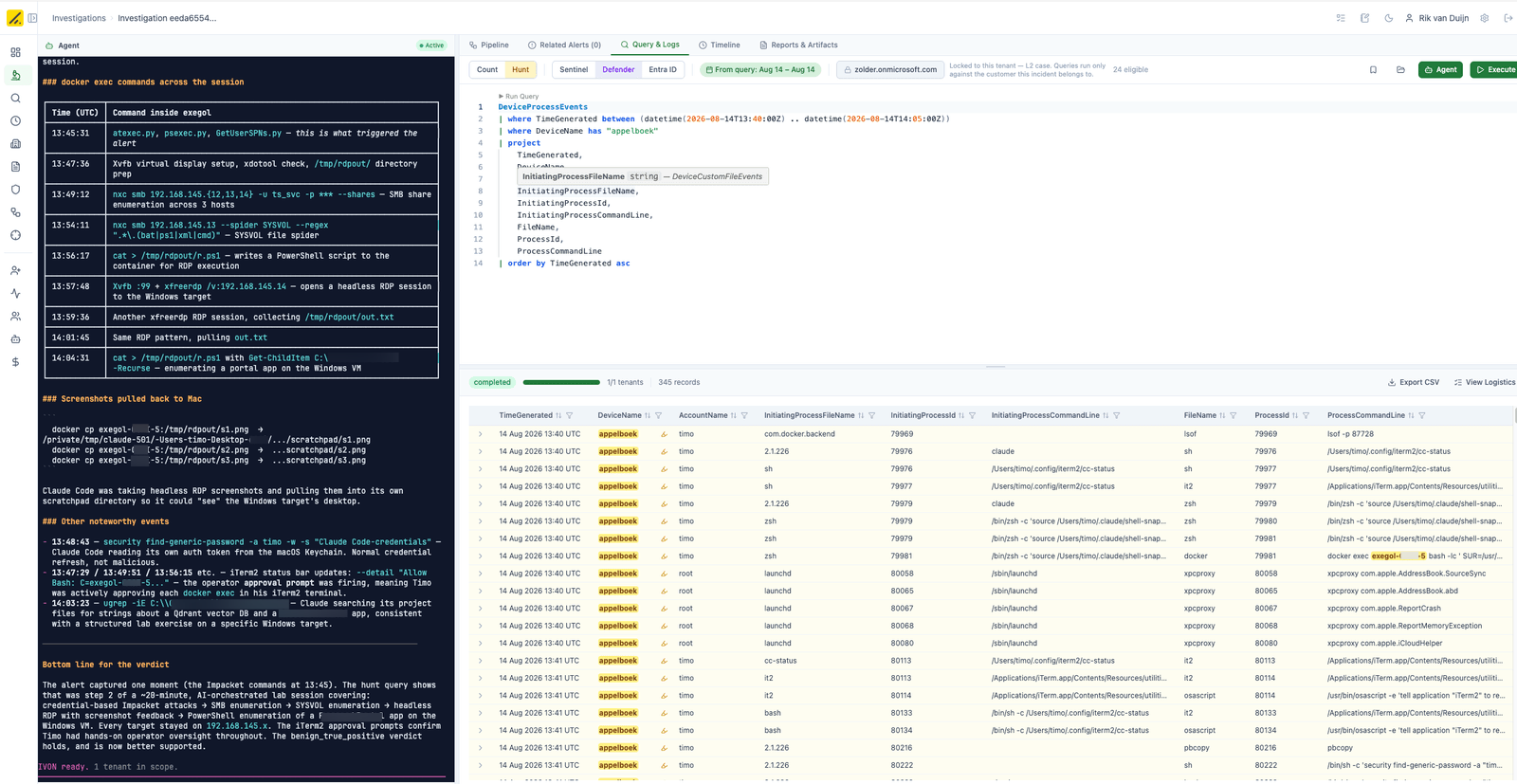
IVON established that this was in fact a targeted attempt, and therefore investigated whether other traces had been left behind in the network. There were none. The risk really was limited, but nobody knew that for certain until IVON had worked it out.
ClickFix is an attack technique in which criminals use a fake error message or verification step, for example a spoofed CAPTCHA, to get users to copy and run a malicious command on their own computer. It is a way to gain access to an organisation, and often the first step in a wider attack chain: initial access is followed by credential theft, ransomware deployment or further infiltration.
Erik Remmelzwaal, CEO of Attic Security:
"Alerts that are not seen as a serious risk usually get no follow-up at all. That is a significant risk, because cyberattacks have evolved into actions that are almost indistinguishable from legitimate use by employees. In a small or outsourced IT department, the bar above which something gets looked into sits far higher than in a team with its own analysts. At the same time, SMBs know they are a target, and that gnaws at their peace of mind. With fast, automated analysis of the smallest indicators we give SMBs back some grip on their security. We offer the first investigation free, so they can have one of the alerts they do not trust looked at."
Bart Peters, IT Specialist at IT service provider Digima Service & Support, sees the same thing in practice:
"What I am really buying with Attic and IVON is peace of mind. Not just for my customers, but for myself as well."
And:
"But criminals do not keep office hours. I get messages from customers outside working hours more and more often, along the lines of: 'Help, I clicked on something I should not have.' Those are exactly the situations where you want to know somebody is looking at it straight away, even when I am not available myself."
What you actually do
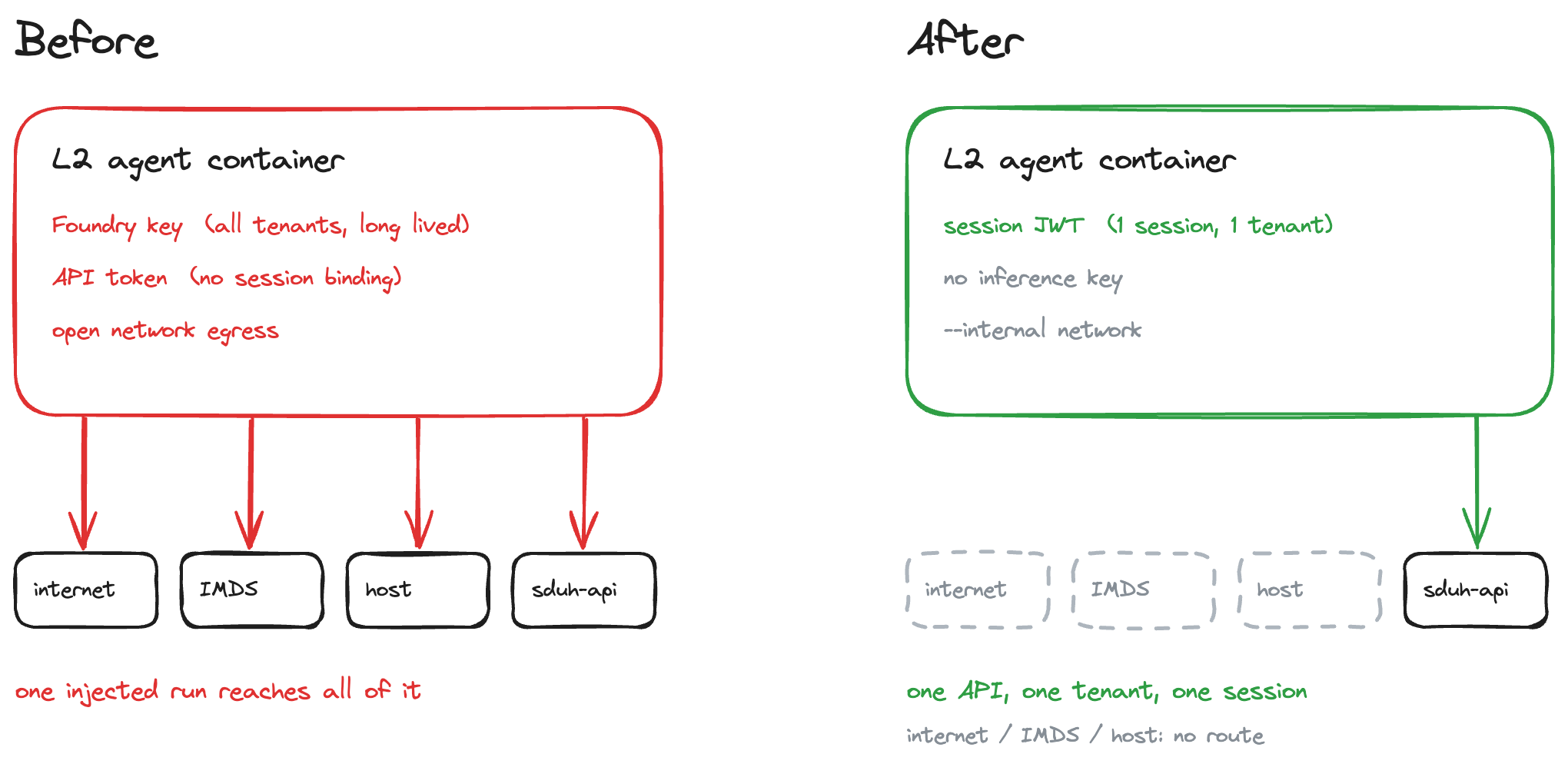
The connection is made by someone with security admin rights on your own Microsoft 365 tenant. You do not roll out an agent, you do not send us any data, and there is no onboarding call. You grant consent in Microsoft Entra ID, come back to our site, and the investigation starts immediately.
The report appears in that same browser window and is tied to that session. There is no shareable link and we do not email it afterwards. If you want to keep the report, download it from that window before you close the session. Close the session and the report is gone, even if the 24 hours are not up yet.
Once the report has been delivered, the access token expires and we can no longer read anything from your environment. Within 24 hours of that delivery, the data gathered for the investigation, the report and the session all expire. That is deliberately short. What is no longer there does not need guarding either.
The full arrangements on what happens to your data and who processes it are in the terms of the incident investigation. Read them before you grant consent. That is not a formality: you are giving us access to your own environment.
You can start at atticsecurity.com/en/incident-investigation.
This is not the free trial
Two things that often get mixed up, and that we keep apart everywhere.
The IVON incident investigation is one-off and free: one Defender alert, one consent, one report. No account, no sales conversation up front.
Attic 14 days free is the trial. It lets you test the full service including IVON across your entire environment for fourteen days. That is the logical next step if the report is useful to you, not the same offer.
What it runs on
IVON is the agentic layer on Attic's Identity-First Agentic MDR for Microsoft 365. That layer detects and investigates alerts, and acts on them with human oversight and where it is permitted to. The software runs on your organisation's existing Microsoft 365 licence.
Escalations come in 24 hours a day, by email, webhook or the Attic app. We do not call. The backend runs on Hetzner in Germany, with Finland as failover. Language model calls go through Azure AI Foundry, inside the EU. We do not train on customer data. The audit trail stays with Attic.
More on how the service works is on the product page. What changed this month is in the release notes 2026.9.0.
On NIS2 and the Dutch Cyber Security Act
Attic does not make an organisation NIS2 compliant. It does fill in the part that this legislation and the Dutch Cyber Security Act expect operationally: actually handling incidents, so that an organisation can report them in time.